Golang Ways to optimizing your Go Code — Profiling
Originally published on an external platform.
[Golang] Ways to Optimizing your Go Code — Profiling
As a developer, you need to make sure the code you are writing is efficient and optimized. However, over-optimization and trying to achieve hyper-efficiency sometimes leads to unnecessary wastage of time because of no ROI. We need to find the right balance between not caring and going overboard with it.

Instead of looking for small performance gains that harm readability so much that they aren’t even worth it, we should look for the large (97%) gains that can be found by improving the critical code. So the question is: how do we find what we can optimize in our code? Are there any tools available to see under the hood?
There are multiple ways to identify opportunity areas:
runtime/pprof: A tool for visualization and analysis of profiling data. It’s useful for identifying where your application is spending its time (CPU and memory).net/http/pprof: Serves HTTP server runtime profiling data in the format expected by theruntime/pprofvisualization tool.pkg/profile: Provides a simple way to manageruntime/pprofprofiling of your Go application.runtime/trace: Contains facilities for programs to generate traces for the Go execution tracer.runtime/debug: Contains facilities for programs to debug themselves while they are running.
Let’s consider the example code below which I want to optimize (or at least find the opportunity areas). Don’t judge me on the code though… 🤣
package main

import (
    "log"
    "os"
    "runtime"
    "runtime/pprof"
)

func main() {
    cpu, err := os.Create("cpu.prof")
    if err != nil {
        log.Fatal(err)
    }
    pprof.StartCPUProfile(cpu)
    defer pprof.StopCPUProfile()

    x := make([]string, 0)
    for i := 0; i < 1000000; i++ {
        x = append(x, "Some Garbage string")
    }

    runtime.GC()
    mem, err := os.Create("memory.prof")
    if err != nil {
        log.Fatal(err)
    }
    defer mem.Close()
    if err := pprof.WriteHeapProfile(mem); err != nil {
        log.Fatal(err)
    }
}
In the code above, I am using runtime/pprof to generate a CPU Profile and Heap Profile for this highly complicated 🤣 program.
To see the CPU Profile:
>> go tool pprof cpu.prof

Type: cpu
Time: Apr 11, 2022 at 7:23pm (PDT)
Duration: 201.71ms, Total samples = 90ms (44.62%)
Entering interactive mode (type "help" for commands, "o" for options)
(pprof) top10
Showing nodes accounting for 90ms, 100% of 90ms total
Showing top 10 nodes out of 30
      flat  flat%   sum%        cum   cum%
      30ms 33.33% 33.33%       30ms 33.33%  runtime.usleep
      20ms 22.22% 55.56%       20ms 22.22%  runtime.pthread_cond_signal
      10ms 11.11% 66.67%       10ms 11.11%  runtime.gcWriteBarrier
      10ms 11.11% 77.78%       10ms 11.11%  runtime.kevent
      10ms 11.11% 88.89%       10ms 11.11%  runtime.memmove
      10ms 11.11%   100%       10ms 11.11%  runtime.scanblock
         0     0%   100%       20ms 22.22%  main.main
         0     0%   100%       10ms 11.11%  runtime.gcBgMarkWorker
         0     0%   100%       40ms 44.44%  runtime.gcBgMarkWorker.func2
         0     0%   100%       40ms 44.44%  runtime.gcDrain
(pprof) quit
To see the Memory Allocation:
>> go tool pprof memory.prof

Type: inuse_space
Time: Apr 11, 2022 at 7:23pm (PDT)
Entering interactive mode (type "help" for commands, "o" for options)
(pprof) top
Showing nodes accounting for 4771.85kB, 100% of 4771.85kB total
Showing top 10 nodes out of 18
      flat  flat%   sum%        cum   cum%
 3075.38kB 64.45% 64.45%  3075.38kB 64.45%  runtime.allocm
 1184.27kB 24.82% 89.27%  1184.27kB 24.82%  runtime/pprof.StartCPUProfile
  512.20kB 10.73%   100%   512.20kB 10.73%  runtime.malg
         0     0%   100%  1184.27kB 24.82%  main.main
         0     0%   100%  1184.27kB 24.82%  runtime.main
         0     0%   100%  2050.25kB 42.97%  runtime.mcall
         0     0%   100%  1025.12kB 21.48%  runtime.mstart
         0     0%   100%  1025.12kB 21.48%  runtime.mstart0
         0     0%   100%  1025.12kB 21.48%  runtime.mstart1
         0     0%   100%  3075.38kB 64.45%  runtime.newm
Note: Some useful commands for
pprofincludetop,top10,list, andlist main\.(listing with regex).
Now let’s use the net/http/pprof package. As mentioned earlier, net/http/pprof allows you to view profile stats generated by runtime/pprof directly in a browser.
Modified code for HTTP profiling:
package main

import (
    "log"
    "net/http"
    _ "net/http/pprof"
    "time"
)

func main() {
    go func() {
        log.Println(http.ListenAndServe("localhost:6060", nil))
    }()
    x := make([]string, 0)
    for i := 0; i < 1000000; i++ {
        x = append(x, "Some Garbage string")
    }
    time.Sleep(1 * time.Minute) // Run it for a little longer
}
Run the program and open your browser at: http://localhost:6060/debug/pprof/
>> go run prof.go
You should see something like this:
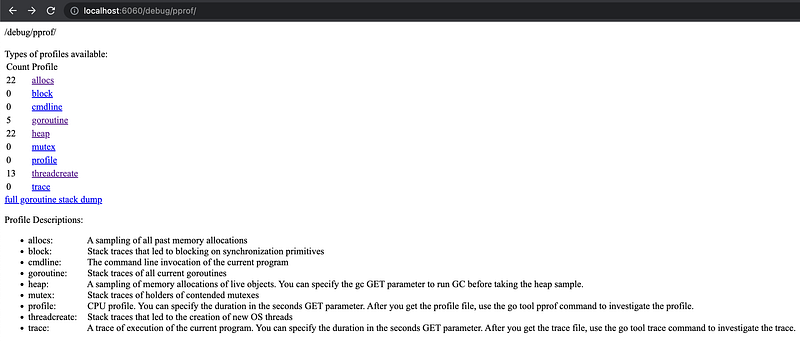
Each Profile Type can be visited to explore more: goroutines, heap, threadcreate, etc.
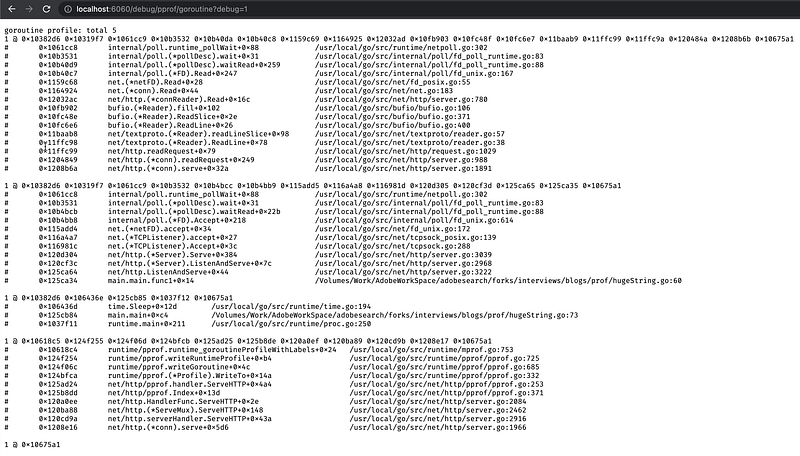
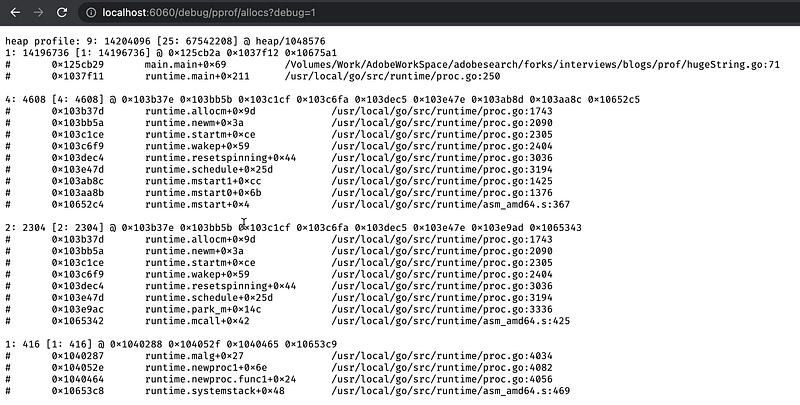
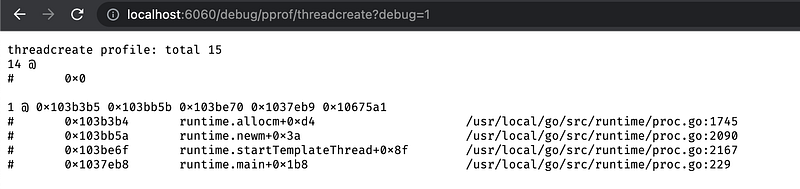
Neat!! isn’t it.. 😃
To spice this up, you can add the fgprof package and see the difference.
Code Changes:
package main

import (
    "log"
    "net/http"
    _ "net/http/pprof"
    "time"

    "github.com/felixge/fgprof"
)

func main() {
    http.DefaultServeMux.Handle("/debug/fgprof", fgprof.Handler())
    go func() {
        log.Println(http.ListenAndServe("localhost:6060", nil))
    }()

    x := make([]string, 0)
    for i := 0; i < 1000000; i++ {
        x = append(x, "Some Garbage string")
    }
    time.Sleep(1 * time.Minute)
}
Now run the program and also from another tab run following:
go tool pprof --http=:6061 "http://localhost:6060/debug/fgprof?seconds=3"
Now everything is more navigable, colorful and we get the Flame Graph..yay!!

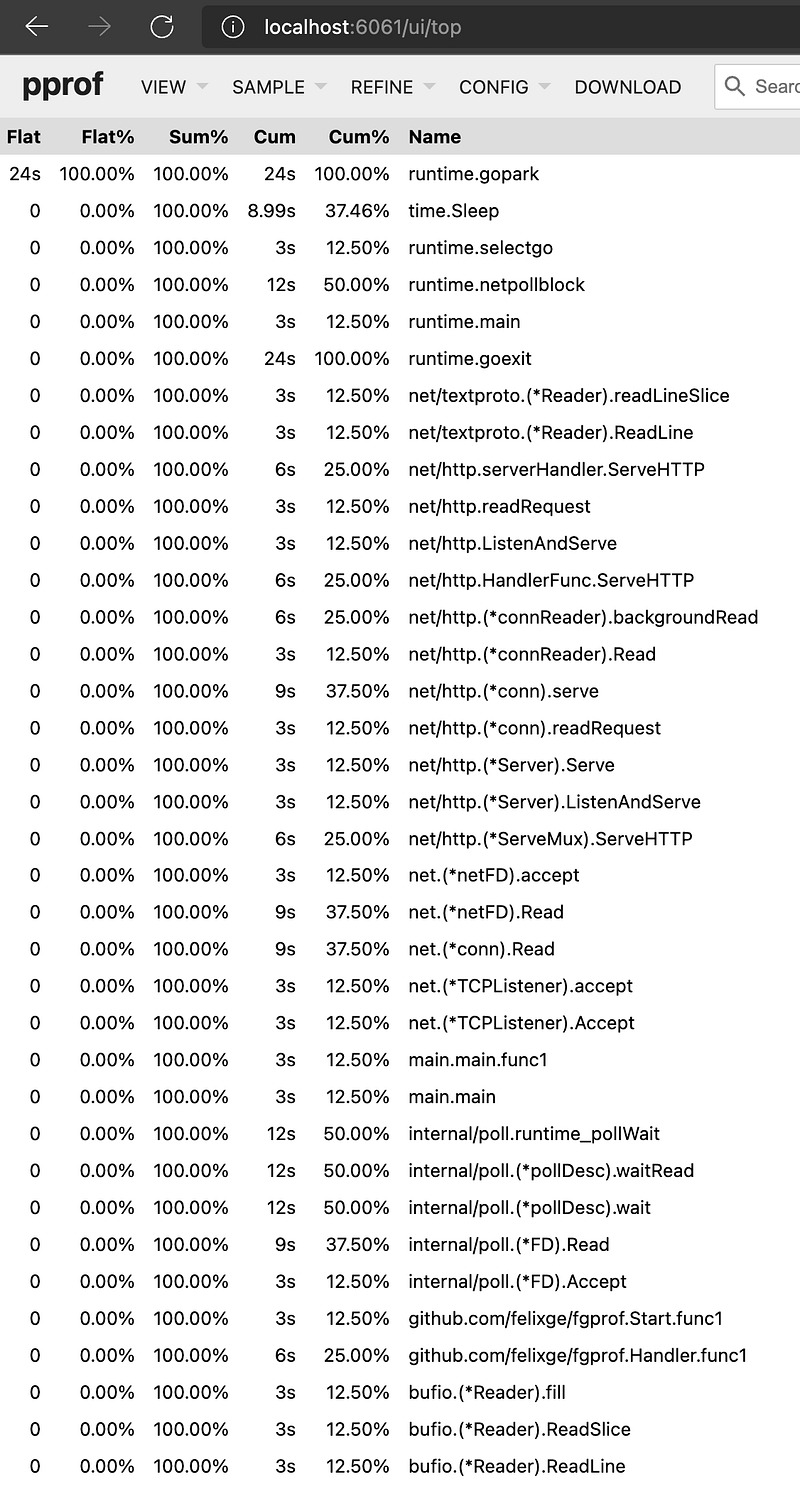
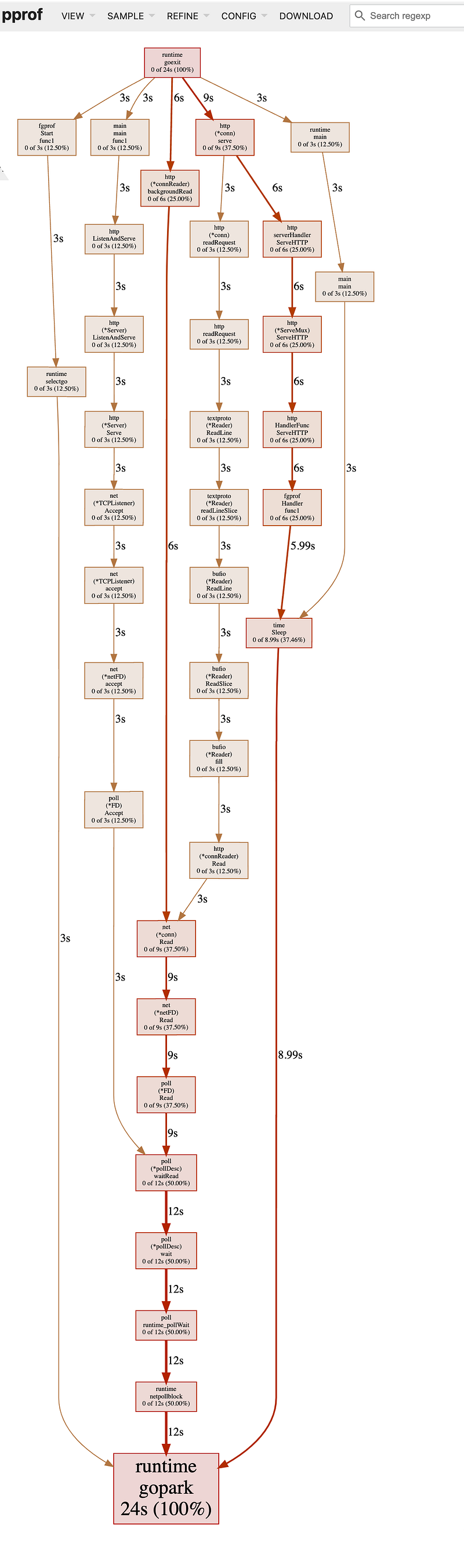
Neat!! isn’t it.. 😃
Production Profiling: Should You?
The bigger question is: Can we profile our code in production?
I would say no. In my opinion, profiling and benchmarking should be part of the earlier stages when the code is still in the baking stage and not yet merged into production. Technically it defeats the purpose; I would rather perform all checks like profiling, benchmarking, leak checks, etc., and then move the code to the release branch.
However, running google/pprof or runtime/pprof in production is safe, and there are some use cases where you might have to:
- Debug performance problems only visible in production.
- Understand where contention accumulates and optimize.
- Enrich distributed traces by correlating them with profiling samples to understand the root cause of latency.
Profiling adds ~5% overhead to your overall usage in CPU and Heap Allocation. One can certainly plan for it. Sometimes it may provide crucial information not available in simulated environments. Though one should be careful of exposing /debug to all; it can cause security risks. Pprof URLs should be secured via RBAC or a Reverse Proxy.
Hope this gives you some insight about Golang profiling!